
 Robert
ace574eac9
Robert
ace574eac9
|
1 year ago | |
|---|---|---|
| .gitignore | 1 year ago | |
| 0.jpg | 1 year ago | |
| 1.jpg | 1 year ago | |
| 2.jpg | 1 year ago | |
| 3.jpg | 1 year ago | |
| 4.jpg | 1 year ago | |
| 5.jpg | 1 year ago | |
| BadImageFormat.jpg | 1 year ago | |
| LICENSE | 1 year ago | |
| README.md | 1 year ago | |
| Screenshot2025-04-26.png | 1 year ago | |
| Screenshot2025-04-26Non-DupFound.png | 1 year ago | |
| TooSmall.jpg | 1 year ago | |
| a.jpg | 1 year ago | |
| b.jpg | 1 year ago | |
| coordinates.py | 1 year ago | |
| dedup.py | 1 year ago | |
| delibs.py | 1 year ago | |
| do_dups.inc | 1 year ago | |
| get_dups.bat | 1 year ago | |
| get_dups.sh | 1 year ago | |
| japan-river.jpg | 1 year ago | |
| london-bridge.jpg | 1 year ago | |


README.md
dedup
Photo De-Duplication
Install Windows
cd dedup
python -m venv C:\Users\$env:USERNAME\Common\env_dedup
Check to see if C:\Users$env:USERNAME\Common\env_dedup\Scripts OR bin folder exists in Windows...
& C:\Users\$env:USERNAME\Common\env_dedup\Scripts\Activate.ps1
If you get an error like: "running scripts is disabled on this system" It means your PowerShell execution policy is too restrictive. You can temporarily allow scripts by running:
Set-ExecutionPolicy -Scope Process -ExecutionPolicy Bypass
After that repeat the Activate Script command:
If that does not work, then TRY:
& C:\Users\$env:USERNAME\Common\env_dedup\bin\Activate.ps1
Here are the packages that need to be installed by pip:
pip install xxhash opencv-python pillow
Usage Windows:
Again, verify if the folder exists Scripts or bin:
& C:\Users\$env:USERNAME\Common\env_dedup\Scripts\Activate.ps1
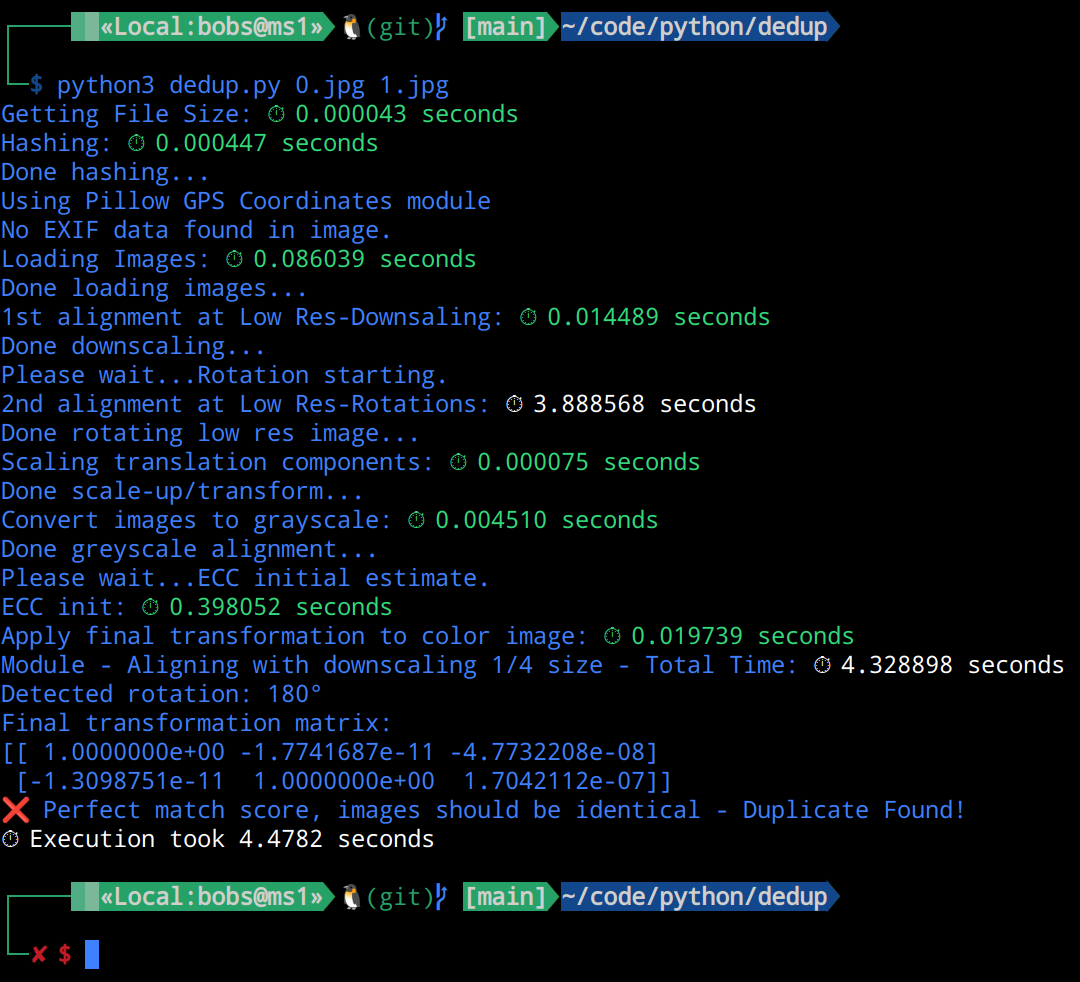
python dedup.py 0.jpg 1.jpg
Windows Automated Directory use, not TESTED YET!:
get_dups.bat %USERPROFILE%\Pictures
Install Linux
cd dedup
python3 -m venv myenv
source myenv/bin/activate
pip install xxhash opencv-python pillow
Useage Linux:
cd dedup
source myenv/bin/activate
python dedup.py 0.jpg 1.jpg
Get more details on scores:
This command will give more details: Matrix deviation score, Decomposed similarity, Combined similarity, and general score...
python dedup.py 0.jpg 1.jpg scores
Linux Automated Directoy use:
./get_dups.sh .
  OR:
./get_dups.sh $HOME/Pictures
Files made by get_dups Scripts:
error level: 0 = NOT a Dup, 1 = Duplicate, 2 = Close Match, 5 = Same GPS GEO-location, 8 = Invalid Image, 9 = File Too small/big. Possible files: dups.txt, alike.txt, sameGPS.txt, invalid.txt, size.txt.
[ ]
]