
You can not select more than 25 topics
Topics must start with a letter or number, can include dashes ('-') and can be up to 35 characters long.
1.0 KiB
1.0 KiB
dedup
Photo De-Duplication
Install uv a Rust App to run Python instead of pip
https://docs.astral.sh/uv/getting-started/installation/
Useage:
cd dedup
uv run dedup.py 0.jpg 1.jpg
Get more details on scores:
This command will give more details: Matrix deviation score, Decomposed similarity, Combined similarity, and general score...
uv run dedup.py 0.jpg 1.jpg -scores
Linux Automated Directoy use:
-forreal will move duplicate images into dups directory.
./get_dups.sh .
  OR:
./get_dups.sh $HOME/Pictures
Files made by get_dups Scripts:
error level: 0 = NOT a Dup, 1 = Duplicate, 2 = Close Match, 5 = Same GPS GEO-location, 8 = Invalid Image, 9 = File Too small/big. Possible files: dups.txt, alike.txt, sameGPS.txt, invalid.txt, size.txt.
Run website:
uv add django
cd webapp
uv run manage.py runserver
Visit http://127.0.0.1:8000 Login as bob, password: guest Wait a minute...for program to run it will compair a.jpg and b.jpg. See: authapp/views.py
[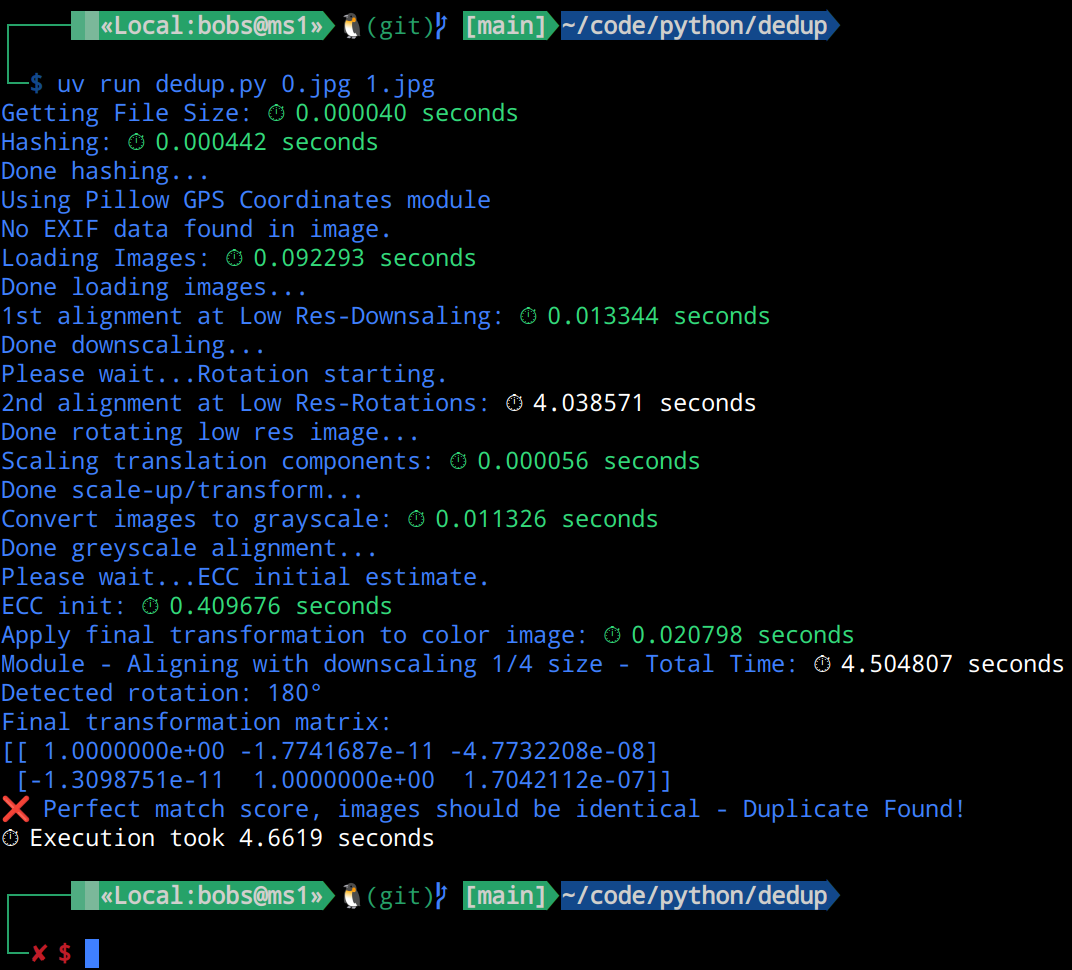 ]
]